
Yes texturing cg is a nightmare, but you have some add ons for Blender that should improve it, so here are my own recommendations:
-
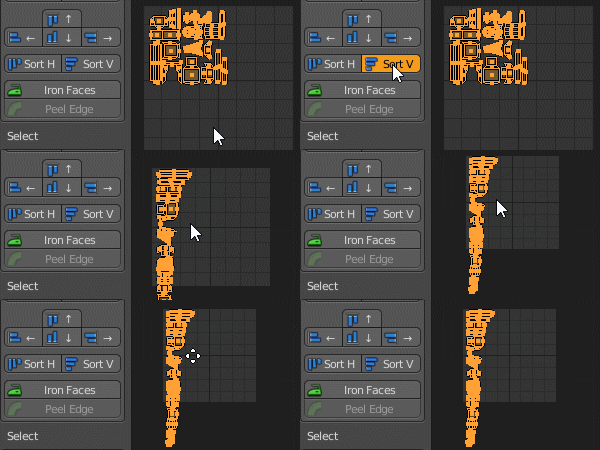
Texture Tools (free). For UWrap like 3dMax, by Hendrik-Jan Schoenmaker.
Also on this web you will have complete documentation. Very complete toolset. -
Super-,Anti, Anti Bundle. Very useful add for work faster tilt.
blendermarket texture-tools (18$ aprox) -
Node Wrangler (free).
Essential and free of chargue.
Main shorcuts:-
Alt-S swap links
-
Shift-Ctrl-LMB Preview Node
-
Ctrl-T Add Texture Setup
-
Ctrl-Shift-T Add Texture Setup from Folder (PBR selected and all pass)
-
Alt-RMB-arrastrar Connect Nodes
-
-
BPainter. It helps to work materials and textures as layers. Basic, but useful. You get much more control on paint brushes and texturing.
blendermarket bpainter (40$ aprox) .
Update: don´t work in Blender 4, maybe in standby, but you can keep working textures in previous versions and export using same uvs.